
01
八种布光,各有什么用
白色无缝背景:大面积柔光主光加补光,背景纯白,是电商主图的标准做法。45° 主光:轮廓清楚、过渡柔和,适合盒子和瓶子。俯拍平铺:从正上方均匀照亮平铺的物品。轮廓光:给深色或反光的商品勾出明亮的边。低调光:黑色环境里一盏硬光,显得高级。窗光:侧面的柔和日光,适合食品和家居用品。彩色滤光片:背景染上一种颜色,商品本身保持中性。高调光:明亮、几乎没有阴影,适合干净的目录页。
好的商品摄影布光,通常意味着一个影棚、两盏灯和一个下午。在这里,你只需上传已有的照片,包括在厨房桌上用手机拍的,再从八种影棚布光中选一种。AI 商品摄影会重画光线、阴影,需要的话也重画背景,而商品的形状、颜色和标签保持不变。每次渲染后,工作室会把商品原本的颜色还原,并在标签看起来有变化时提醒你。
$13.89 起,注册即送一次布光的免费点数
更新于
把最多 10 张产品照片拖到这里
支持 JPG、PNG、WebP、HEIC,单张不超过 20 MB;大图会先在浏览器里缩小。
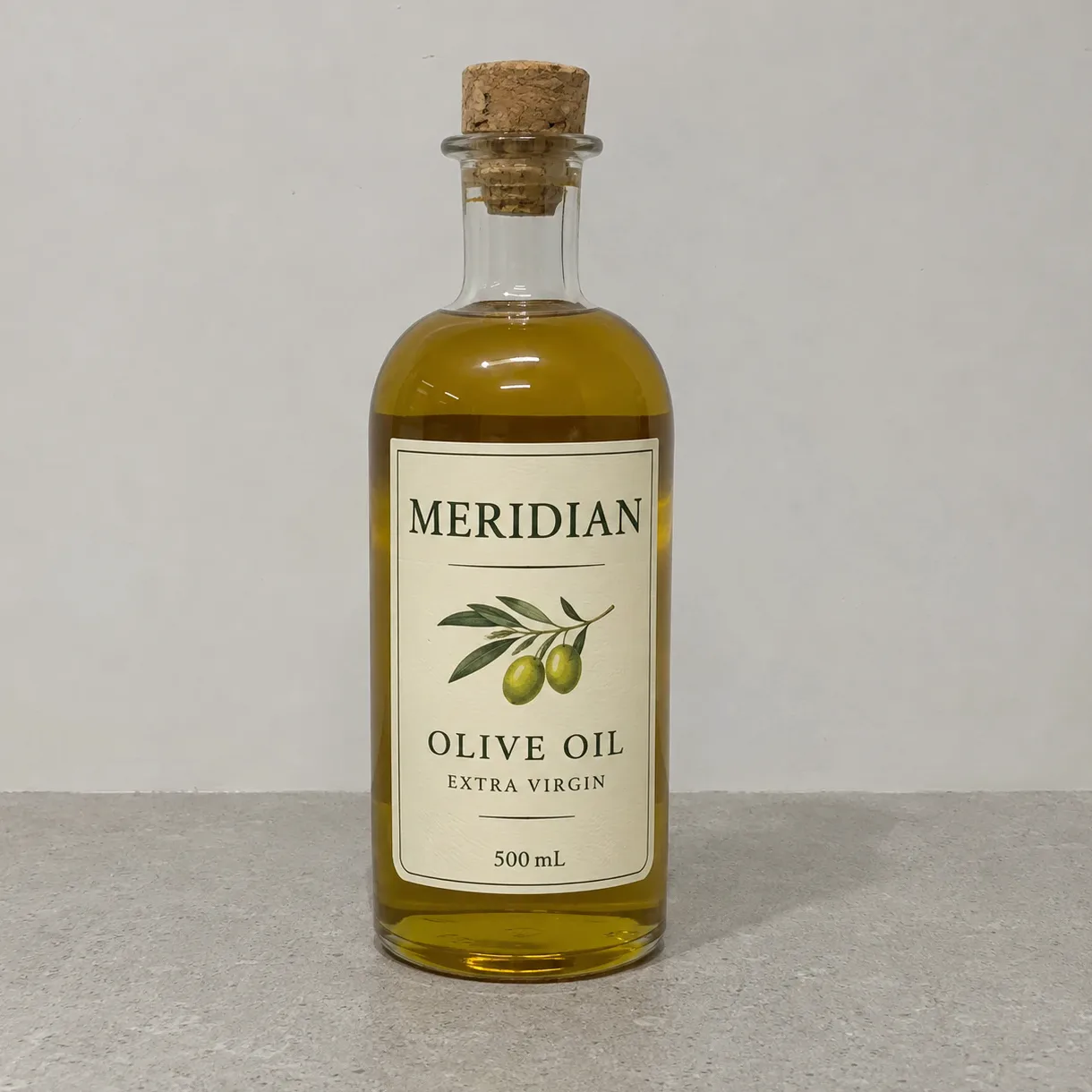
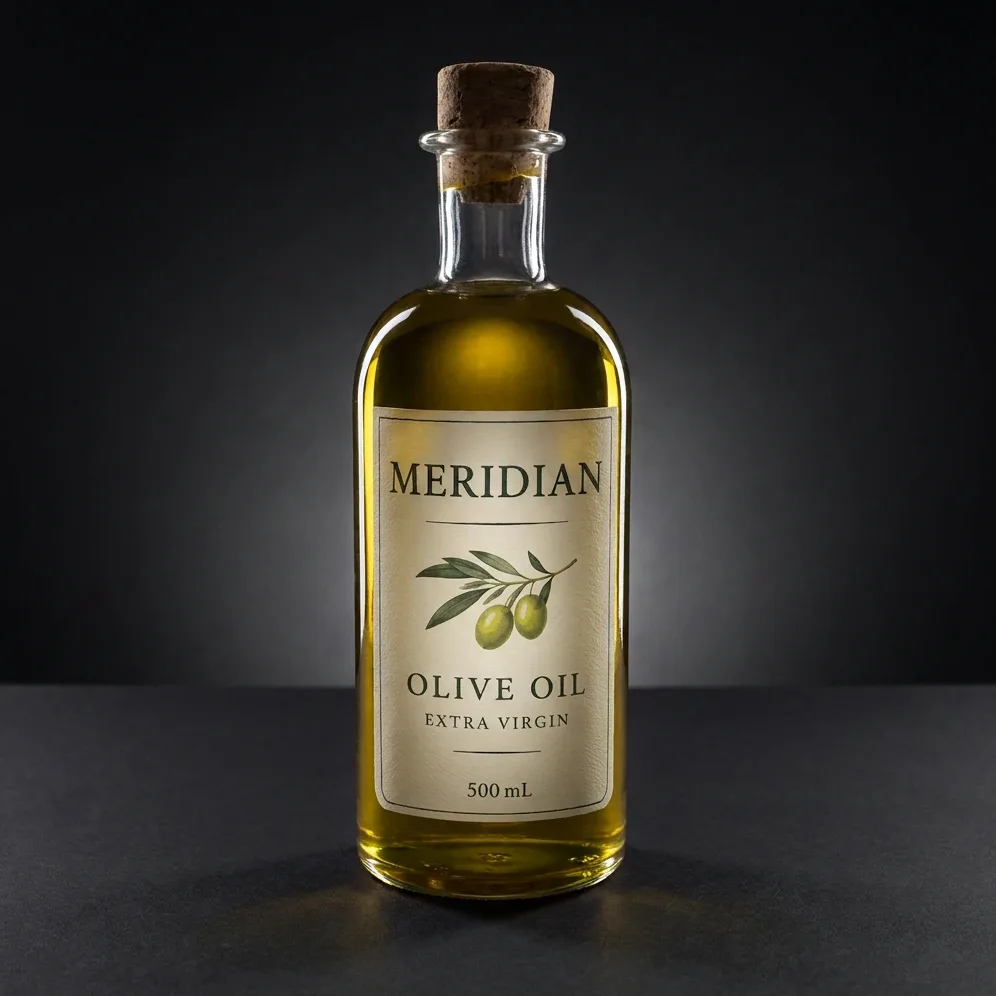 手机原图轮廓光
JPG、PNG、WebP 或 HEIC。商品完整入画、画面清晰的照片效果最好;背景是什么都可以,你可以保留,也可以替换。
默认是适合电商平台的白色无缝背景。也可以换成 45° 主光、俯拍平铺、轮廓光、低调光、窗光、彩色滤光片或高调光;主光可放在左侧、右侧、上方或后方,高度可选低位、与产品齐平或高位,再选接触阴影或投射阴影。
每张结果都有前后对比滑块、颜色色块(原图、AI、还原后)和标签检查。可以导出 1:1 白底、4:5 或透明背景版本,也可以把整批打包成 ZIP。
手机原图轮廓光橄榄油瓶 · 轮廓光
查看提示词: Relight this product photo as a professional studio product shot with two edge lights behind the product that draw a thin bright outline around its sides, with a low front fill so the front still reads, the look for dark or glossy products. The key light comes from behind the product, towards the camera, at the product’s own height. Add a soft contact shadow right under the product where it touches the surface, grounding it. Replace the background with a dark charcoal seamless background, and place the product on it as in a studio. Change only the light, shadows, highlights and reflections. Keep the product exactly as it is: its shape, proportions, colours, materials, printed label, logo and every letter of its text. Keep the camera angle and framing. Add no new objects, people, text or watermarks, and show no lights, stands, softboxes or other studio equipment in the frame.
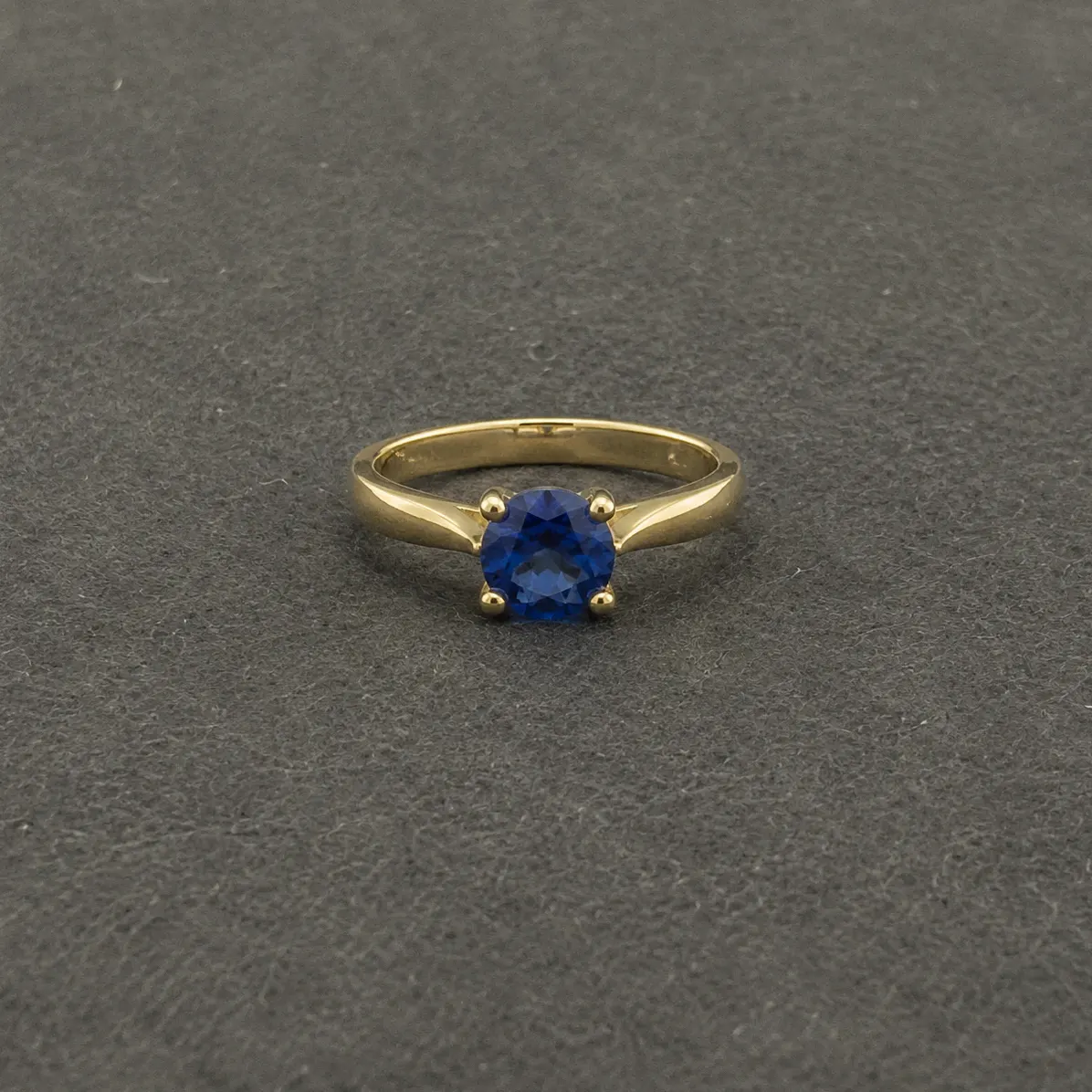
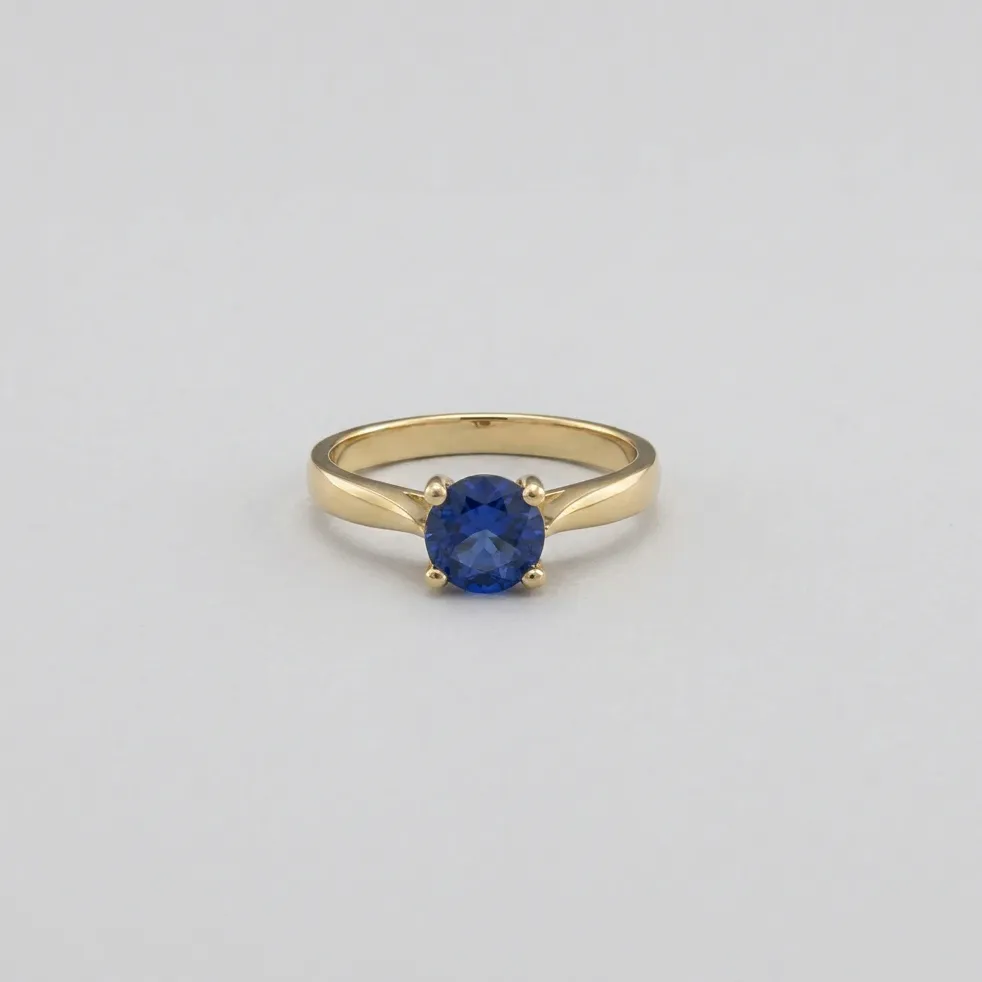 手机原图45° 主光
金戒指 · 45° 主光
查看提示词: Relight this product photo as a professional studio product shot with a classic product key light at 45 degrees with a gentle falloff across the product and a low fill on the shadow side. The key light comes from the left of the camera, at the product’s own height. Add a soft contact shadow right under the product where it touches the surface, grounding it. Replace the background with a seamless light grey paper sweep, and place the product on it as in a studio. Change only the light, shadows, highlights and reflections. Keep the product exactly as it is: its shape, proportions, colours, materials, printed label, logo and every letter of its text. Keep the camera angle and framing. Add no new objects, people, text or watermarks, and show no lights, stands, softboxes or other studio equipment in the frame.
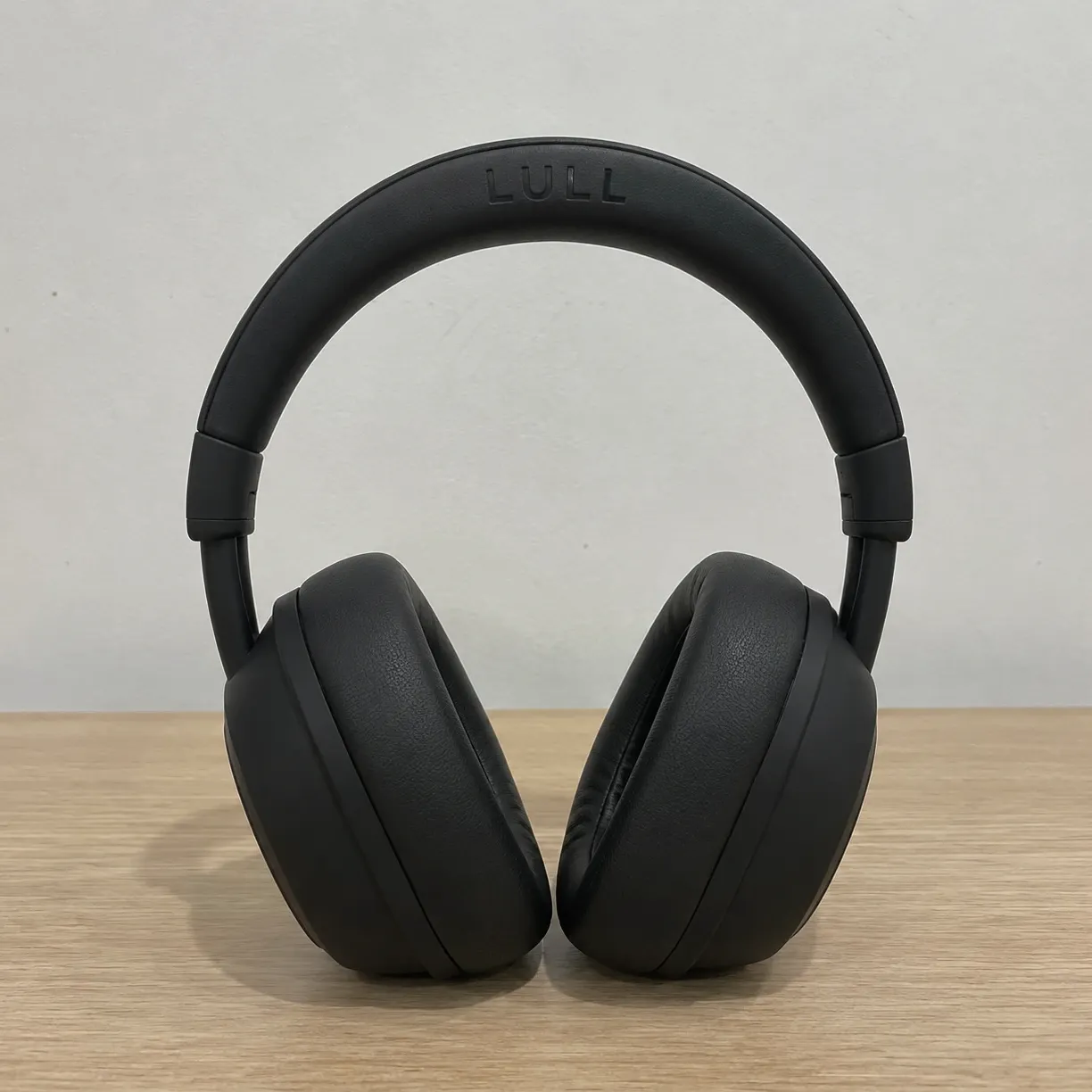
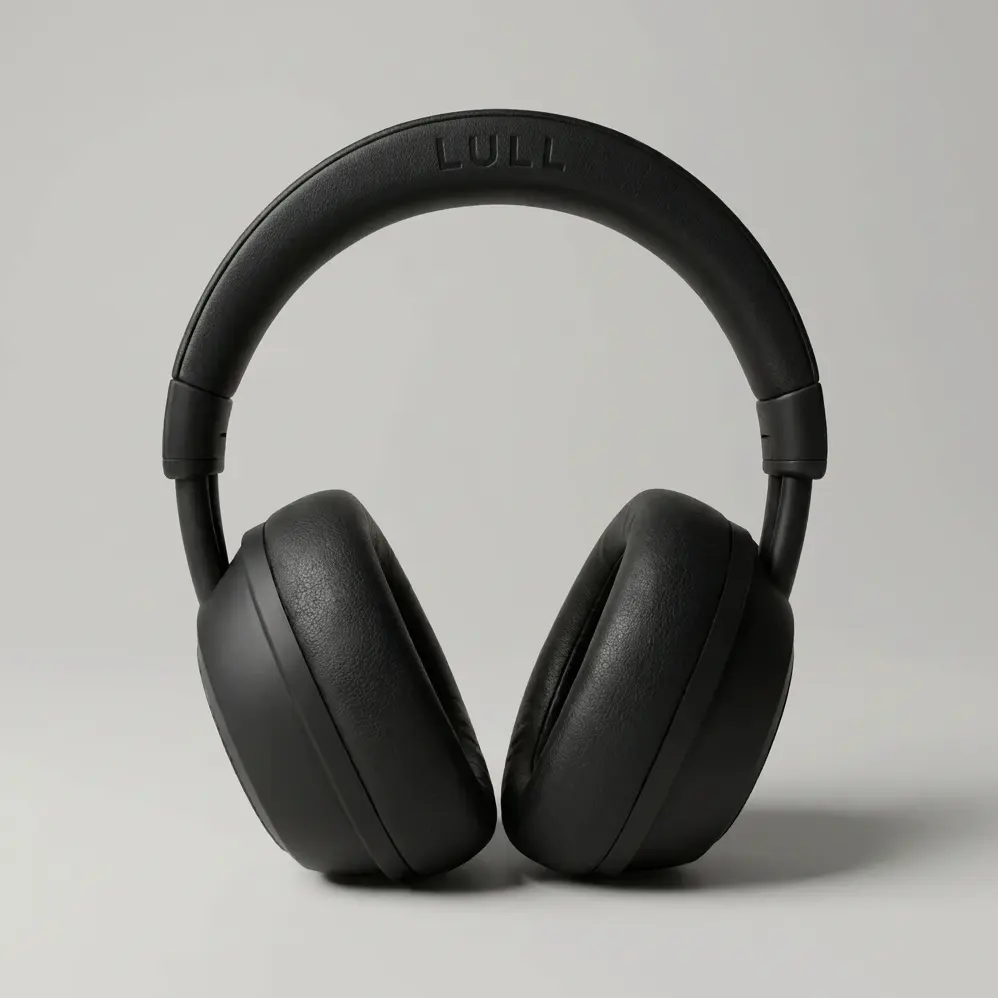 手机原图45° 主光
头戴耳机 · 45° 主光
查看提示词: Relight this product photo as a professional studio product shot with a classic product key light at 45 degrees with a gentle falloff across the product and a low fill on the shadow side. The key light comes from the left of the camera, at the product’s own height. Add a soft contact shadow right under the product where it touches the surface, grounding it. Replace the background with a seamless light neutral grey paper sweep, and place the product on it as in a studio. Change only the light, shadows, highlights and reflections. Keep the product exactly as it is: its shape, proportions, colours, materials, printed label, logo and every letter of its text. Keep the camera angle and framing. Add no new objects, people, text or watermarks, and show no lights, stands, softboxes or other studio equipment in the frame.
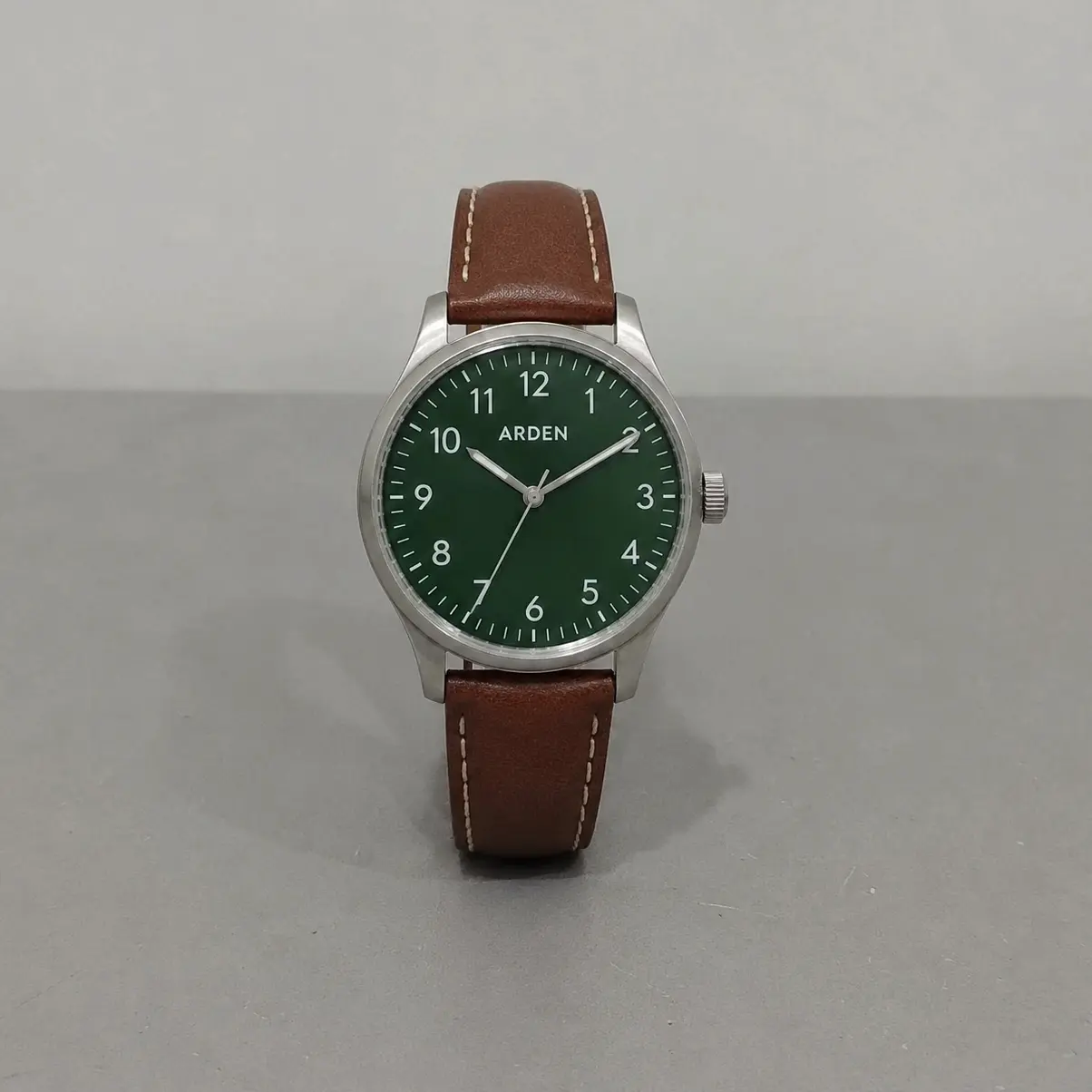
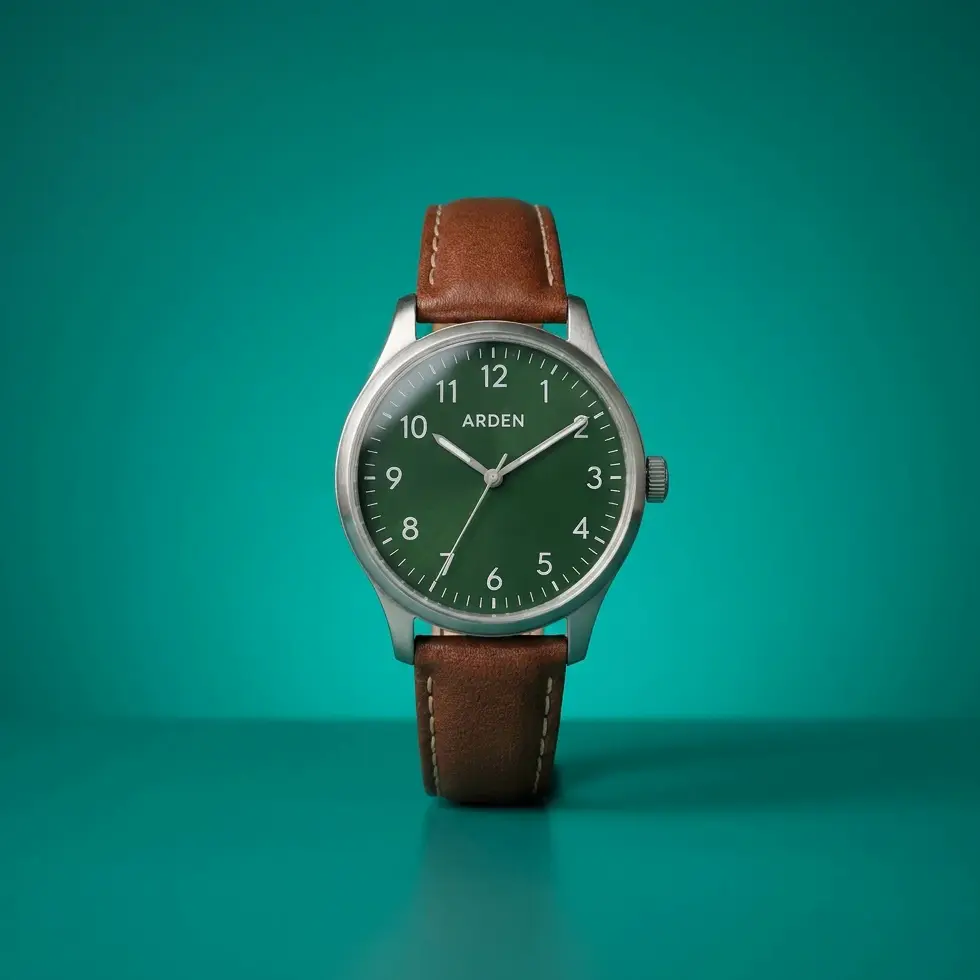 手机原图彩色滤光
腕表 · 彩色滤光
查看提示词: Relight this product photo as a professional studio product shot with one teal gel light behind the product tinting the background, with a neutral white key on the product itself so its own colours stay true. The key light comes from the right of the camera, at the product’s own height. Add a soft contact shadow right under the product where it touches the surface, grounding it. Replace the background with a seamless background washed in teal gel light, and place the product on it as in a studio. Change only the light, shadows, highlights and reflections. Keep the product exactly as it is: its shape, proportions, colours, materials, printed label, logo and every letter of its text. Keep the camera angle and framing. Add no new objects, people, text or watermarks, and show no lights, stands, softboxes or other studio equipment in the frame.
01
白色无缝背景:大面积柔光主光加补光,背景纯白,是电商主图的标准做法。45° 主光:轮廓清楚、过渡柔和,适合盒子和瓶子。俯拍平铺:从正上方均匀照亮平铺的物品。轮廓光:给深色或反光的商品勾出明亮的边。低调光:黑色环境里一盏硬光,显得高级。窗光:侧面的柔和日光,适合食品和家居用品。彩色滤光片:背景染上一种颜色,商品本身保持中性。高调光:明亮、几乎没有阴影,适合干净的目录页。
02
图像模型很会改光线,但也容易让颜色略有偏移,还可能重画细小的文字。AI 改变光线;之后我们会检查商品的颜色和标签,把颜色还原,并在标签有变化时提醒你。颜色只在商品抠图范围内还原,新的高光和阴影都会保留。标签检查只负责标记需要细看的结果,不会改写标签;被标记的照片请重新生成,或在上架时使用原图。
03
Nano Banana Pro 是 Google 的图像模型,最能保持商品原样,因此是默认模型;画面中出现手或人物时,也只能用它。GPT Image 2 是 OpenAI 的图像模型,积分更少,适合不含人物的普通商品照。两者都可导出 1K、2K 或 4K;免费账号导出 1K。
每次运行前,按钮旁都会显示这次打光的确切价格。 套餐与积分包
| 模型 | 适合 | 1K | 2K | 4K |
|---|---|---|---|---|
| Nano Banana Pro | 默认:最能保住产品和标签;可处理带人物的照片 | 117 | 117 | 151 |
| GPT Image 2 | 纯产品照片,价格更低 | 48 | 71 | 105 |
变化的是光线、阴影和反光,商品本身不应改变。提示词要求模型保持商品的形状、颜色和标签;渲染后,你的浏览器还会在商品抠图范围内还原原本的颜色,并检查标签区域。
不用。你可以保留照片原背景、使用布光自带的无缝背景、选纯色、把商品放进我们的场景,或上传你自己的背景照片。
可以。添加最多 10 张照片,它们会使用同一种布光、主光和阴影。开始前会显示总积分,同时处理几张由你的套餐决定。
透明玻璃、镀铬和镜面,因为它们的反光取决于模型想象出来的环境。彩色滤光片也会有意改变颜色观感。哑光商品、盒子、织物和陶瓷效果最干净。
积分会自动退回余额。对已完成但不满意的结果不予退款,可以换一种布光、加一句简短说明或换另一个模型。